GTFS platform for public transport

Your timetables on Google Maps, your website and your stop screens

TransiTool turns the timetables you have into a valid GTFS feed, lets you edit them on a map, and publishes them to Google Maps, a journey planner, stop screens and open APIs.

31 days free, no card needed. Every feature included.
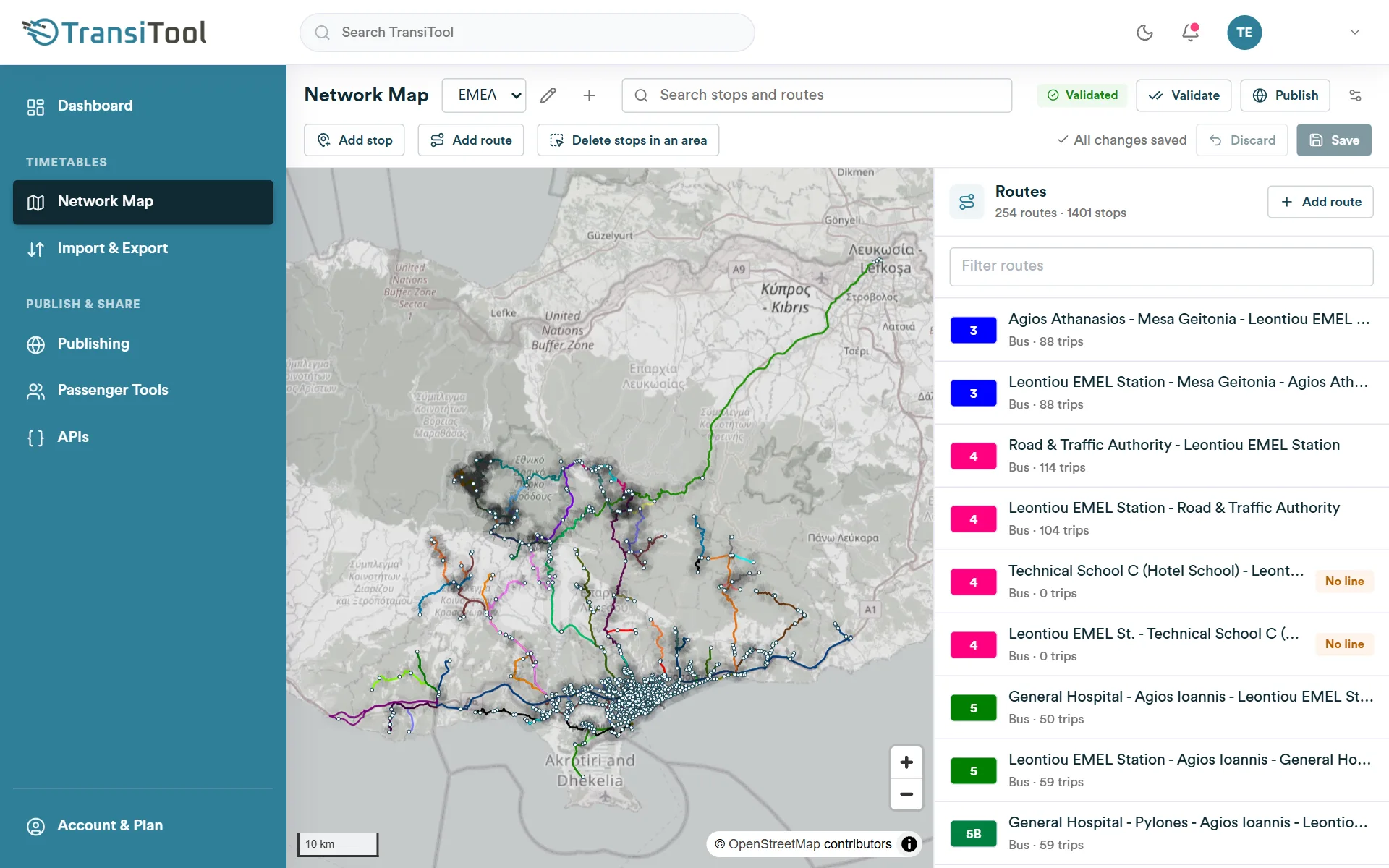
The Network Map of TransiTool: a bus network on the map with the list of its routes
Works with GTFSExcelPDF & images (AI)IATA SSIMNeTEx (EPIP)Google Maps
How it works

From a timetable to your passengers in three steps

  1. Step 1

    Bring in your timetables

    Upload a GTFS feed, fill in our Excel template, or send a PDF or photo of a printed timetable.

  2. Step 2

    Edit and validate

    Fix stops, routes, trips and fares on the map, save, and check the feed with the GTFS validator.

  3. Step 3

    Publish and share

    One click puts the timetable on your public page, Google Maps, your journey planner, stop screens and APIs.

Features

Everything between your timetable and your passengers

One tool to bring timetables in, keep them right, and show them wherever passengers look.

Bring in timetables

From any format to a clean GTFS feed

Start from what you have. TransiTool turns it into GTFS, the format Google Maps and journey planners read.

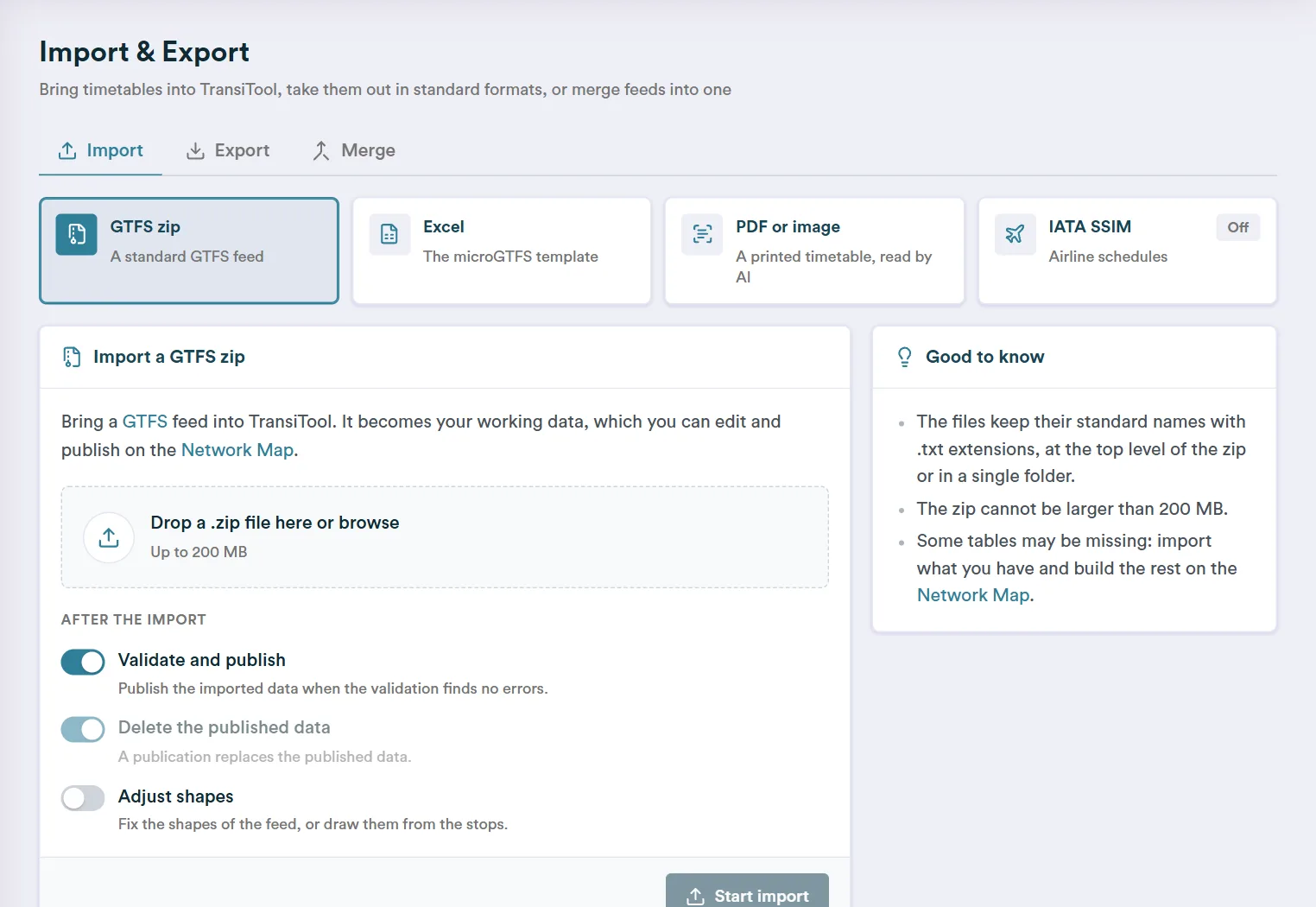
  • GTFS zip files, with their shapes fixed or drawn from the stops
  • Our Excel template for simple timetables
  • A PDF or photo of a printed timetable, read by AI
  • IATA SSIM schedules for airlines
  • Merge 2 to 10 feeds into one
  • Export GTFS, NeTEx (EPIP) or SSIM at any time
Download the Excel template
The Import & Export page of TransiTool with the GTFS, Excel, PDF and IATA SSIM imports
Network Map

Edit your network on the map

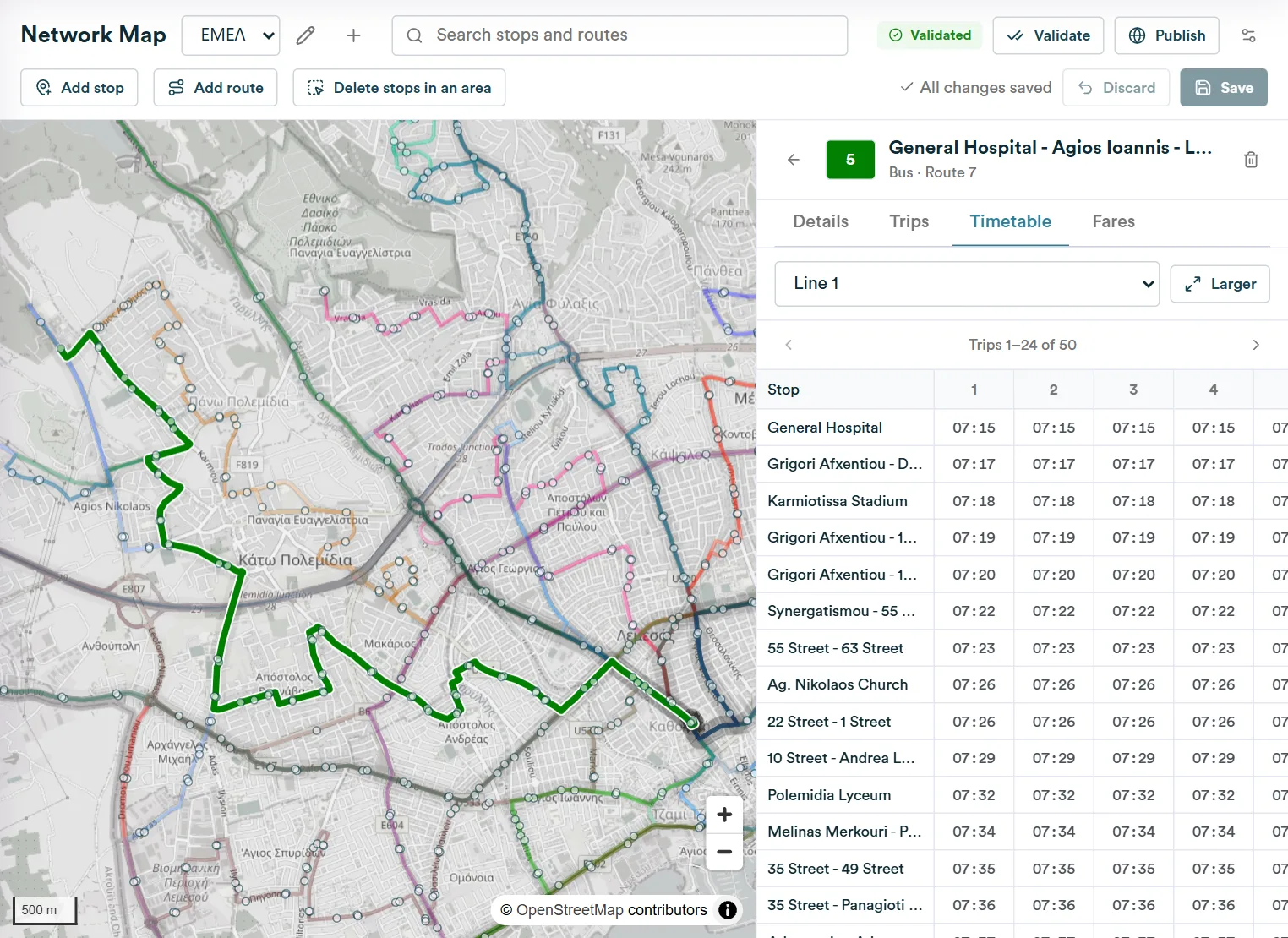
Every part of the timetable in one place: click a stop or a route on the map and change it in the side panel.

  • Stops, routes, trips, calendars and exception dates
  • Timetable grid per line, frequencies, duplicate and shift trips
  • Route shapes that follow the roads
  • Fares and fare rules
  • Edits wait for Save: one click saves them all, Discard undoes them
  • Validation with the MobilityData GTFS validator before you publish
The Network Map of TransiTool with a bus route on the map and its timetable in the side panel
Publish

Publish once, show up everywhere

Your published timetable feeds every channel at once, and stays online until you publish again.

  • Google Maps: we send your feed to Google and follow it until it is live
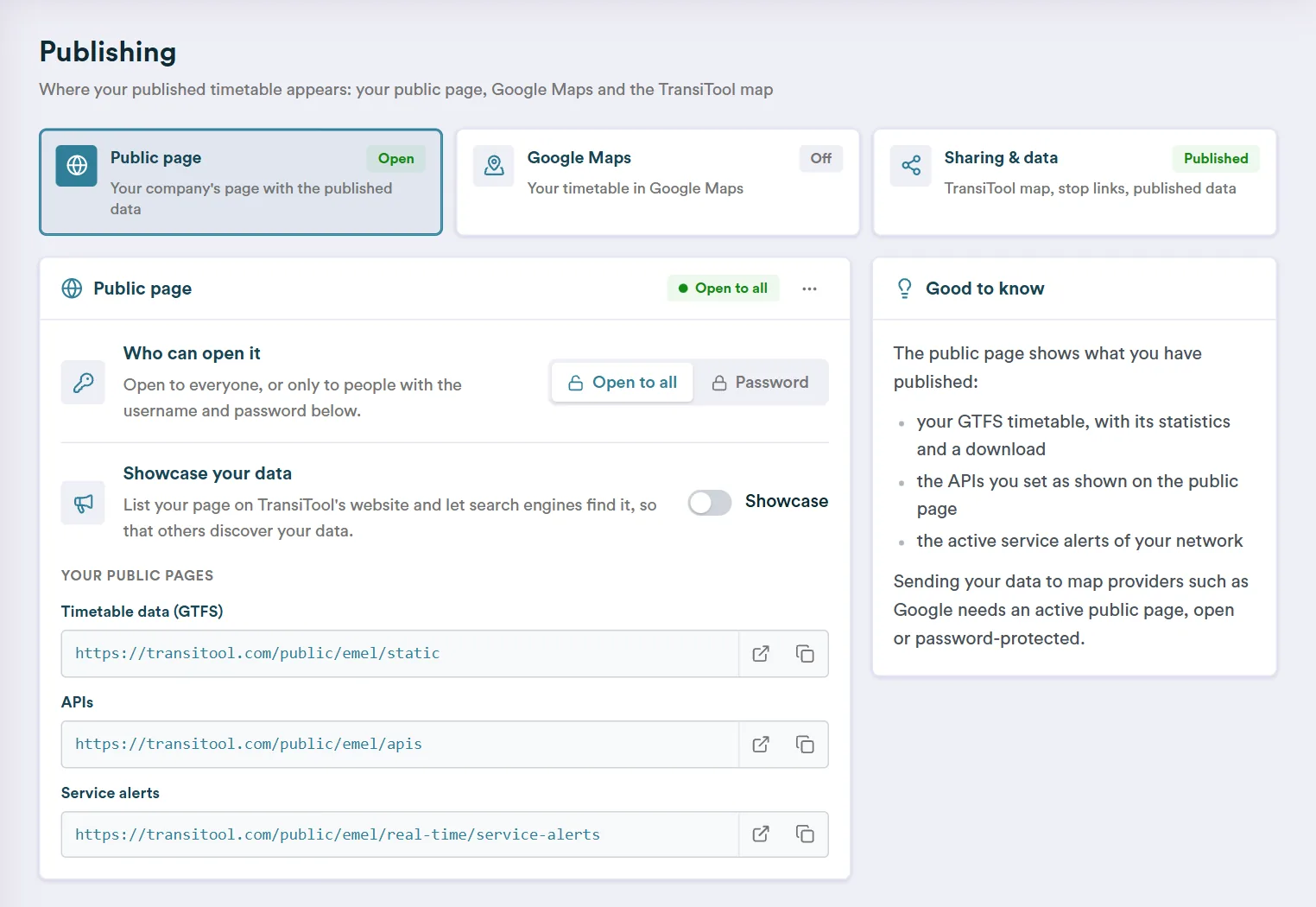
  • A public page with your feed's figures and the GTFS download, open or password-protected
  • A page for every stop with its next departures
  • The TransiTool map, where passengers plan trips across operators
The Publishing page of TransiTool with the public page, Google Maps and sharing settings
Passenger tools

Ready-made tools for your passengers

Switch them on in the members area; they follow every publication by themselves.

  • A journey planner for your website: one line of code
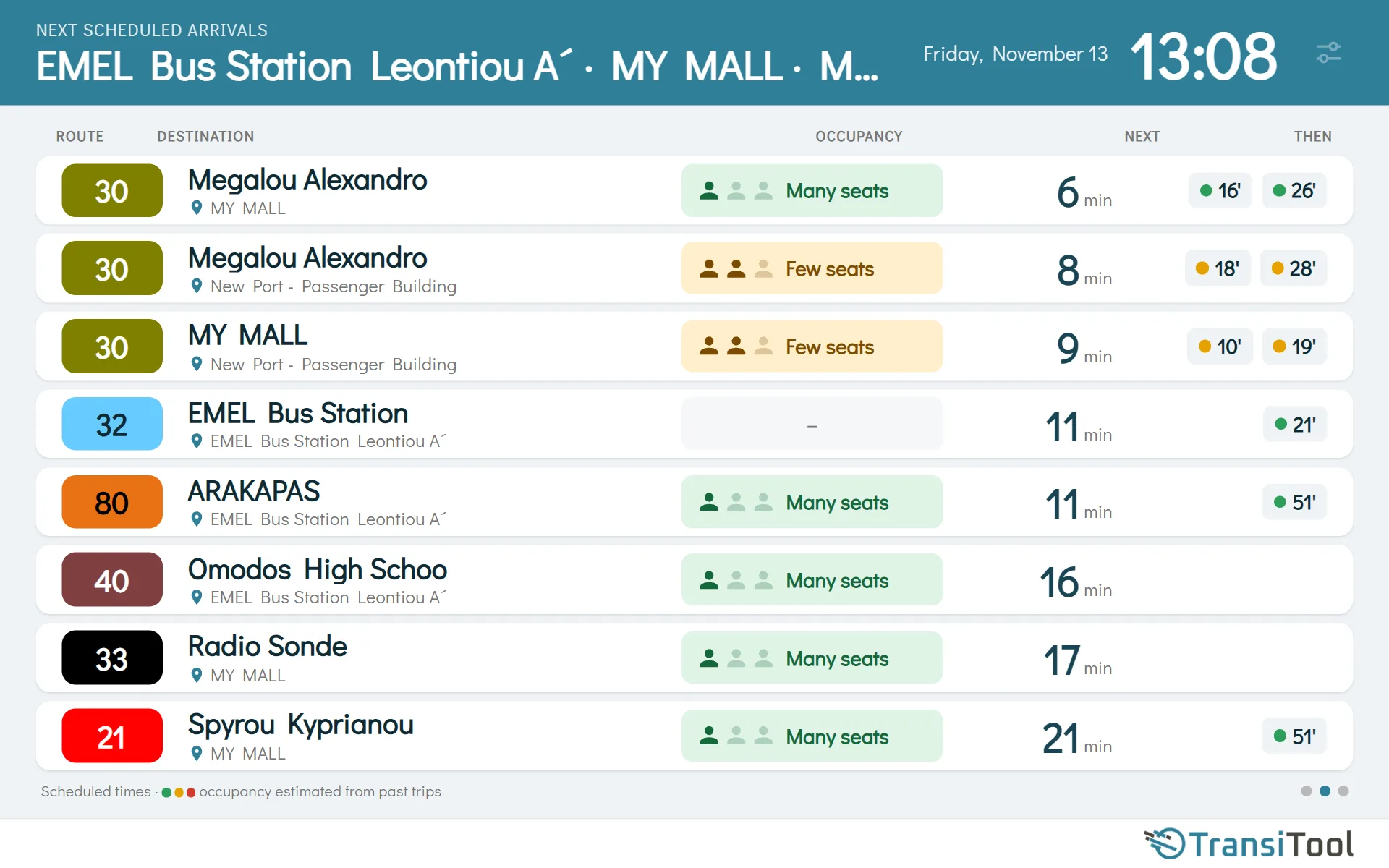
  • Stop screens with the next arrivals of up to 10 stops, in Greek or English
  • Crowding estimates from your passenger counts: how full each bus is expected to be
  • Ticket links that take passengers from Google Maps to your ticket shop
  • Your service alerts on stop screens and in the journey planner
A TransiTool stop screen with the next arrivals of four stops and how full each bus is expected to be
Open APIs

Your data in your own apps

REST APIs that answer from your published timetable, with a token per API and a URL builder to try them.

  • Stops, routes and timetables
  • Next scheduled arrivals, with crowding estimates
  • Journey planning from door to door
  • Service alerts: read, post and delete
  • Address search
GET /api/rin/get-next-scheduled-arrivals/{company}/v1.0/?stop-ids=84&t=…
[
  {
    "stop_id": "84",
    "stop_name": "Bus Station",
    "arrivals": [
      {
        "route_short_name": "30",
        "trip_headsign": "New Port",
        "arrival_time": "13:14:00",
        "datetime": "2026-11-13T13:14:00+02:00",
        "crowding": {
          "level": "FEW_SEATS_AVAILABLE",
          "confidence": "high"
        }
      }
    ]
  }
]
StopsRoutesTimetablesArrivalsDirectionsService alerts
Who it's for

Made for the people who run public transport

Bus and city operators

Keep the timetable right on Google Maps, put stop screens at busy stops and a journey planner on your website.

Ferry operators

Publish your sailings to Google Maps and keep them current, with scheduled updates set up by our team.

Airports and airlines

Import and export IATA SSIM schedules and add airports as stops by their IATA code.

Municipalities and authorities

Gather the operators of your area in one feed, publish open data, and share it as GTFS or NeTEx.

Plans

Start free, keep every feature

Try everything on your own network for 31 days. After the trial your account stays active with smaller limits, until you choose a contract.

After the trial Free, small limits

Your account stays active with every feature switched on, and limits sized for a small network.

  • Up to 10 routes
  • 4 imports, 4 exports and 4 publications a month
  • 1,000 journey planning requests a month
  • 5,000 information API requests a month
Contract Priced for your network

For operators who run their network on TransiTool.

  • No limits on routes or stop times
  • No monthly limits on imports, exports and publications
  • No monthly limits on API requests
  • Set up together with our team
Contact

Let's talk about your network

Book a demo, ask a question or tell us what you need. We are a team of transport engineers and developers in Athens, Greece.

info@transitool.com +30 210 3801139 Leoforos Alexandras 9, 11473 Athens, Greece
Join the team Transport engineer, developer or data person? Send us your CV with the topic "Join the team".

Tell us about your network: mode, number of routes, where your timetables are today.

We use what you write only to answer you. This form is protected by reCAPTCHA: Google's privacy policy and terms apply.